So, picture this: you’re at a party, and someone brings up the topic of dessert. You know, the usual debate about which is better—chocolate cake or vanilla ice cream? Now, imagine trying to convince your friend that chocolate cake is superior using some fancy research stats. This is where something like an Independent Sample T Test comes into play.
Alright, here’s the scoop! This test helps you compare two different groups. Like, let’s say one group devours chocolate cake while the other enjoys vanilla ice cream. The T Test tells you if there’s a real difference in how much they enjoy their treats.
Using SPSS for this? Super handy! It’s like having a personal assistant for all those tricky calculations. Seriously! You can crunch numbers without needing a PhD in statistics.
So, if you’re planning to back up your favorite dessert with numbers (or any scientific research), stick around! We’re diving into how you can use SPSS to make sense of all that data. It’s gonna be a sweet ride!
Understanding the Independent T-Test: A Comprehensive Example in Scientific Research
So, you’re curious about the independent t-test? Well, let’s break it down in a way that makes sense!
First off, the independent t-test is a statistical method used to compare the means of two different groups. Imagine you’re testing if there’s a difference in test scores between students who studied with flashcards and those who didn’t. Each group stands alone—hence “independent.” Cool, right?
Here’s what you need to know:
- Purpose: The main goal is to find out if the average score of one group is significantly different from another. It basically answers the question: “Are these two groups really all that different?”
- Assumptions: For this test to be valid, a couple of assumptions must be met:
- The samples must be independent (no overlap, like oil and water).
- The data should be normally distributed (most people fall around an average), especially if your sample size isn’t huge.
- The variances in both groups should be similar (roughly equal spread).
- SPSS and the T-Test: If you’re using SPSS (that’s software for statistical analysis), performing an independent t-test is straightforward.
You just enter your data and go through some menus. SPSS will crunch the numbers for you.
Now, let’s say you did this study with actual students. You find two groups—one with 20 students who used flashcards and another with 20 who just winged it. After running your analysis, you may get something called a p-value. This little number helps you decide if any observed differences are legit or just due to chance. <0.05. If your p-value is less than this, it suggests that there’s less than a 5% probability that the difference between groups happened just by luck.
Here’s how results might look:
- Group A (Flashcards): Average score = 85
- Group B (No Flashcards): Average score = 75
- P-Value: Let’s say it comes out as p=0.01.
In this case, since your p-value is way below our threshold of .05, you’d conclude that flashcards really do seem to help!
Oh! And here’s something personal – I once helped a friend analyze her project on coffee consumption and productivity using an independent t-test in SPSS! It was wild seeing how her late-night coffee chugging actually had significant effects on her work outcomes.
So remember: when you’re thinking about analyzing differences between two distinct groups, the independent t-test can really shine. Just keep those assumptions in check and trust SPSS to handle most of the heavy lifting.
And that’s pretty much it! Hope that clears things up about this important statistical tool!
Mastering the Independent Sample T-Test in SPSS: A Comprehensive Guide to Interpretation for Scientific Research
So, let’s chat about the Independent Sample T-Test in SPSS. You might be wondering what this whole thing is about and why it matters, especially if you’re knee-deep in scientific research. Just stick with me!
First off, the independent sample t-test is used when you’re comparing the means of two different groups. Cool, right? Like, you might have one group of people who did yoga and another who didn’t, and you want to see if their stress levels are different after a month. That’s where you’d use this test!
When you’re ready to run one of these bad boys in SPSS, here’s how it typically goes down:
- You start by collecting your data. You should have two groups and a continuous outcome variable—like stress levels measured on a scale or something similar.
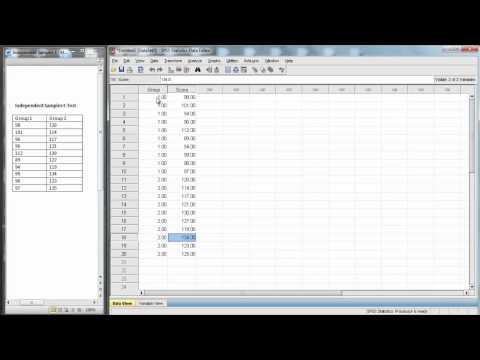
- Next, you head over to SPSS and enter your data. Make sure each group has its own column—easy peasy!
- Then, go to the top menu and find “Analyze.” From there, scroll down to “Compare Means” and choose “Independent-Samples T Test.”
Now here’s where it gets kind of fun: You need to set up your test properly. It’s crucial to define which variable is your grouping variable (like if someone practiced yoga) and which one is your test variable (stress levels).
Once you’ve got everything set up in SPSS, hit that “OK” button. Then you’ll get this output window that looks like a lot at first—but don’t freak! Just focus on two tables: the Group Statistics table and the Independent Samples Test table.
In the Group Statistics table, you’ll see means for both groups along with their standard deviations. This tells you how much variation exists within each group.
Moving on to the Independent Samples Test table, there are some key things to pay attention to:
- T-value: This tells you how much difference there is between the groups compared to their variance.
- P-value: This is probably what you’ll hear researchers chat about a lot. A p-value less than .05 usually indicates that there’s a significant difference between your groups.
- Confidence Intervals: This gives an estimate of the range where we think the difference between means lies.
But hold up! There’s this assumption called homogeneity of variances that comes into play too. Look for Levene’s Test result; if it’s significant (p < .05), then your variances are not equal, which means you’ll want to use the second row of your results for interpretation.
Now let me tell ya about when I first tackled this test for my research project on student performance differences based on study methods. I was super nervous about interpreting those numbers but ended up finding out that students using flashcards scored significantly higher than those who didn’t use any aids—pretty cool!
After crunching those numbers and checking my p-value against .05, I realized we were onto something real! But always keep in mind—you’ll need context around these numbers: statistical significance doesn’t always translate directly into practical significance.
So anyway, just remember that mastering the independent sample t-test helps illuminate differences between groups in your research! It’s like having a powerful tool in your back pocket when trying to uncover new insights or confirm hunches about what’s going wrong or right in various scenarios! Embrace it—it can be pretty rewarding once you’ve got it down!
Comprehensive Guide to Independent T-Test: Example Problems and Solutions in Scientific Research
The independent t-test is a statistical method used to compare the means of two groups. So, if you’re curious about how different treatment effects might be in a study, this is the test you’d look at. It helps you determine if there’s a significant difference between those two sets of data.
What exactly is it? Well, it’s all about comparing two groups that are independent of each other. Like, imagine you want to see if students from two different schools score differently on a math test. You’d take scores from each school and run an independent t-test to find out if any difference in their average performance is meaningful or just random noise.
Key points:
- The two groups must be completely separate. No overlap!
- The data should be normally distributed for each group.
- You need to have similar variances across the two groups—this is called homogeneity.
Let’s say you did some research and collected test scores from students in School A and School B. After calculating the averages, you find that School A’s average is 78 while School B’s is 85. You’re wondering if this 7-point difference really tells us something or if it could just be chance.
Now, here’s where SPSS comes into play. Using SPSS (which stands for Statistical Package for the Social Sciences) makes running an independent t-test pretty user-friendly. You’d start by entering your data into SPSS, setting up your variables properly so that it knows which group each score belongs to.
Steps in SPSS:
- Input your scores into one column.
- Create another column indicating which school each score belongs to.
- Select “Analyze” from the menu, then go to “Compare Means,” and choose “Independent-Samples T Test.”
After these steps, you’ll have to define your grouping variable—in our case, the school—and hit “OK.” This will produce output showing you various statistics like means, standard deviations, and most importantly—a p-value.
The p-value helps you decide whether any difference in means is statistically significant or not. If your p-value is less than 0.05 (the common threshold), then it suggests there *is* a significant difference between those schools’ test scores.
But hang on! What does this all mean practically? Think back to our story about School A and B: A significant result would imply that something about the educational approach at either school likely leads to those differences in math performance!
It’s pretty cool because understanding these results can really influence educational practices or interventions down the line—maybe they could adopt certain strategies from one another based on what works best!
So yeah, that’s how an independent t-test operates within scientific research using SPSS! Keeping track of group differences can shed light on many real-world situations—from education and healthcare outcomes to market research decisions.
In short: when you’re analyzing data with independent groups, this test offers powerful insights into whether differences are legit or just chance happening!
So, let’s talk about the independent sample t-test in SPSS. You know, when you’re knee-deep in a research project, trying to figure out if two groups of people really behave differently or if it’s just a fluke? That’s where this bad boy comes in handy.
Picture this: you’re at a coffee shop, and you overhear two friends arguing about whether drinking coffee makes you more productive than, say, tea. You think to yourself, “Wouldn’t it be cool to actually measure that?” Like if you had a group of caffeine lovers and another group who swears by tea.
The independent sample t-test is your ticket to figuring out if there’s a significant difference between these two groups. Basically, it compares their average productivity levels. If the test shows there’s enough evidence that one group really is more productive than the other, then voilà! You’ve got something meaningful for your research.
What I find interesting is how user-friendly SPSS makes all this. You don’t have to crack open thick textbooks or dig through complex calculations. Just plug in your data—like how many tasks each person completed after their drink and hit run. But let me tell you; it’s not just about pressing buttons—there’s a bit of thought involved before diving in.
You gotta check for assumptions first: like whether your data looks normal (which means it follows that nice bell curve) and whether the variances are equal or not. It can feel a bit overwhelming at first, but once you get the hang of it, it becomes kind of satisfying.
And here’s something to chew on: after running your test and getting those p-values back—it can feel exhilarating! There could be moments where you’re holding your breath because what you find can change everything about your hypothesis.
Of course, even when the numbers are crunched and significant differences pop up on your screen—don’t forget to add some human touch! Numbers alone don’t tell the whole story; it’s all about what they mean in real life: Are coffee-drinkers actually feeling more energetic or is the hype just that?
In scientific research, connecting data with real-world implications matters way more than just running tests for numbers’ sake. Each result has its own little story behind it; it’s exciting to think how one simple test could lead you down paths of new understanding!
So yeah, whether you’re using SPSS or any other tool out there for this kind of analysis—remember why you’re doing it! It’s not just stats; it’s part of unraveling human behavior!