Okay, so imagine you’re at a party. You walk in and instantly scan the room, trying to figure out who might be your kind of people. You see a group discussing books, another bunch vibing over music, and then there’s the crowd playing video games. Somehow, you just know where to fit in.
That’s kind of how the KNN algorithm works! It’s all about finding patterns and making sense of data by looking at how things relate to each other—like making friends based on shared interests.
If you’ve ever been curious about how computers can classify stuff or predict outcomes, this is your moment! Seriously, whether you’re dabbling in Python or just into geeky science stuff, this algorithm is like your secret weapon for getting insights from data. So grab a drink—maybe coffee or something stronger—and let’s break down KNN together!
Implementing the KNN Algorithm in Python: A Step-by-Step Guide for Scientific Applications
Alright, let’s talk about the KNN algorithm in Python! You might’ve heard of it if you’re into data science or just curious about how computers learn. KNN stands for **K-Nearest Neighbors**, and it’s one of those algorithms that’s super handy for classification tasks. Basically, it helps in figuring out what a data point belongs to based on its “friends” in the dataset.
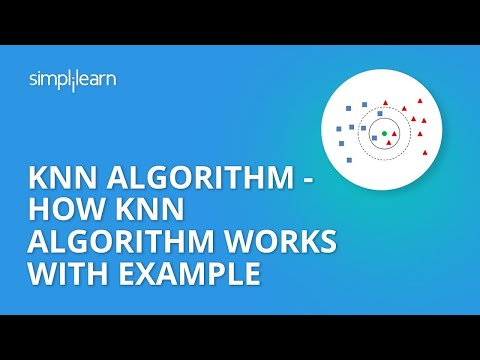
So, here’s the deal: imagine you have a scatter plot with different colored dots. Each color represents a different category. When a new dot appears on the scene, KNN looks around to see which colored dots are closest to it. Then, by majority vote (or some kind of average), it assigns that new dot a category based on its neighbors.
Now, let’s get into how you can actually implement this in Python, shall we?
First off, you’ll want to make sure you have your environment set up. You’re gonna need libraries like `NumPy` and `scikit-learn`. If you don’t have them installed yet, just run:
“`python
pip install numpy scikit-learn
“`
Now let’s say you’re working with a dataset of flowers and their features like petal length and width. Here’s how you’d set up everything step by step:
1. Import Necessary Libraries
You’ll start by importing your libraries:
“`python
import numpy as np
import matplotlib.pyplot as plt
from sklearn.model_selection import train_test_split
from sklearn.neighbors import KNeighborsClassifier
from sklearn.metrics import accuracy_score
“`
2. Load Your Data
Next up is loading your dataset. If you’re using something like the famous Iris dataset (which is pretty common), you can grab it easily from `sklearn`.
“`python
from sklearn.datasets import load_iris
iris = load_iris()
X = iris.data # Features: petal length and width, etc.
y = iris.target # Labels: flower species
“`
3. Split Your Data
You don’t want to test your model on data it’s seen before! So split your dataset into training and testing sets:
“`python
X_train, X_test, y_train, y_test = train_test_split(X, y, test_size=0.2)
“`
This snazzy snippet will take 20% of your data for testing.
4. Create Your KNN Model
Here comes the fun part! You create an instance of the KNeighborsClassifier:
“`python
knn = KNeighborsClassifier(n_neighbors=3) # You can change n_neighbors!
knn.fit(X_train, y_train) # Fit your model to the training data
“`
The `n_neighbors` parameter is key—it’s how many neighbors you wanna check when making predictions.
5. Make Predictions
Time to see how well our model does!
“`python
y_pred = knn.predict(X_test)
“`
Just like that!
6. Evaluate Your Model
Finally, check out how well your model performed with accuracy score:
“`python
accuracy = accuracy_score(y_test, y_pred)
print(f”Accuracy: {accuracy * 100:.2f}%”)
“`
Isn’t that cool? This gives you an idea of how accurately your model can classify those flowers based on their features.
If we go deeper into things here: one major aspect is choosing that **k** value wisely—it kinda defines your algorithm’s sensitivity and can impact results dramatically! More neighbors might smooth things out but could misclassify if there are noise points nearby.
And remember: this set up works great for small datasets but may slow down when you’re working with huge amounts of data since KNN doesn’t really preprocess or summarize; it checks every single point every time!
So next time someone mentions classifying stuff using distances between points? You’ll know they’re talking about good ol’ KNN!
Leveraging KNN Algorithm in Python for Advanced Scientific Data Analysis
The K-Nearest Neighbors (KNN) algorithm is like having a friend who knows everyone in the neighborhood and can tell you who lives nearby. It’s a super handy method for classification and regression tasks, especially when you’re dealing with scientific data analysis in Python. So, let’s break it down.
What is KNN?
KNN is a type of machine learning algorithm that makes decisions based on the “neighborhood” of points around a given data point. Imagine you have a bunch of different colored balls scattered on the ground. If you want to figure out what color a new ball should be, you look at the surrounding balls—if most are red, then your new ball is probably red too.
How does it work?
Here’s the scoop: when you want to classify an unknown point, KNN checks out the *K* closest labeled points in your dataset. Then it votes on which class it thinks your point belongs to. You choose how many neighbors to consider (that’s your *K*), and typically it’s an odd number to avoid ties.
1. **Distance Measurement**: The first thing KNN needs to do is figure out how close points are to each other. Common methods include Euclidean distance—which measures straight-line distance—and Manhattan distance, which adds up the total across dimensions.
2. **Choosing *K***: Picking the right K can be tricky! A small value might be too sensitive to noise in your data, while a large value might be too generalized.
3. **Voting System**: Alright, after identifying those neighbors, each one gets a vote based on their class label—whichever class has the most votes wins!
Implementing KNN in Python
Python has great libraries that make using KNN pretty straightforward! One of the most popular ones is Scikit-learn; it’s like having all your tools ready at hand.
You start by importing necessary modules:
“`python
from sklearn.neighbors import KNeighborsClassifier
from sklearn.model_selection import train_test_split
from sklearn.metrics import accuracy_score
“`
Then, split your data into training and testing sets—like studying before a big test! You train your model with part of the dataset and check its accuracy against another part.
“`python
X_train, X_test, y_train, y_test = train_test_split(X, y, test_size=0.3)
knn_model = KNeighborsClassifier(n_neighbors=5)
knn_model.fit(X_train, y_train)
predictions = knn_model.predict(X_test)
accuracy = accuracy_score(y_test, predictions)
“`
And just like that—you have an accuracy score that tells you how well you’re doing!
Practical Applications
In scientific research, KNN can help with various tasks:
My buddy once worked on predicting plant species from leaf measurements using KNN—it was wild! They had this huge dataset with tons of information about different plants’ leaves and managed to identify species with impressive accuracy just by using their physical attributes.
So there you have it! The power of leveraging something as simple yet effective as KNN for advanced scientific data analysis in Python. It’s all about making informed guesses from familiar patterns around us.
Enhancing Scientific Data Analysis with KNN Algorithm in Python: A Comprehensive Guide from W3Schools
Sure! Let’s chat a bit about the K-nearest neighbors algorithm, or KNN for short, and how you can use it for scientific data analysis in Python.
So, the KNN algorithm is super cool because it’s really intuitive. Think of it like this: when you’re trying to figure out where to eat, you might ask your friends for recommendations. You look at their tastes and decide based on that. KNN does something similar with data points. It looks at the “neighbors” around a given point to make predictions or classifications.
How It Works
1. **Choosing K**: First up, you gotta choose how many neighbors you want to consider—this is your “K.” If K is too small, your results could be noisy and unreliable. But if it’s too big, it might include points that are not very similar to your target point. A common choice is 3 or 5 as a starting point!
2. **Distance Measurement**: Next, the algorithm measures the distance between data points. This could be Euclidean distance (the straight-line distance) or something else, but let’s keep it simple with Euclidean for now. It’s like measuring how far apart two locations are on a map.
3. **Voting Process**: Once distances are calculated, KNN looks at the classes of the nearest neighbors and gets their “votes” – just like in an election! The class that gets the most votes amongst these neighbors becomes the prediction for that unknown data point.
Using KNN in Python
To get started with KNN in Python, you can use libraries like Scikit-learn which makes everything easier.
Here’s a basic rundown of how you might set this up:
– First things first: import necessary libraries.
“`python
import numpy as np
import pandas as pd
from sklearn.model_selection import train_test_split
from sklearn.neighbors import KNeighborsClassifier
from sklearn.metrics import accuracy_score
“`
– Then load your dataset using pandas:
“`python
data = pd.read_csv(‘your_data.csv’)
“`
– Next up, split your data into training and test sets:
“`python
X = data.drop(‘target’, axis=1) # Features
y = data[‘target’] # Labels
X_train, X_test, y_train, y_test = train_test_split(X, y, test_size=0.2)
“`
Here you’re separating features (like measurements) from labels (like whether it’s a fruit or not).
– Now create and fit your model:
“`python
model = KNeighborsClassifier(n_neighbors=5) # You can change this number!
model.fit(X_train, y_train)
“`
– Finally! Time for predictions:
“`python
predictions = model.predict(X_test)
accuracy = accuracy_score(y_test, predictions)
print(f’Accuracy: {accuracy * 100}%’)
“`
Applications in Science
KNN is super handy in various areas of science! For instance:
In each example here, you’re looking at sets of measurements—like distances between stars—and figuring out what they belong to based on those measurements.
So yeah! That’s a wrap on using the K-nearest neighbors algorithm for scientific data analysis in Python. It’s all about understanding relationships between various points of data which can lead to some really insightful conclusions about whatever science-y stuff you’re looking into!
So, let’s chat about the KNN algorithm, or k-nearest neighbors if you want to be fancy about it. It’s one of those things in machine learning that sounds super techy, but when you break it down, it’s pretty cool and honestly kinda intuitive.
I once found myself knee-deep in a project trying to analyze some scientific data for a class project. Imagine rows and rows of numbers—like, dizzying amounts of data on plant growth under different light conditions. I needed some way to see patterns or classify these plants based on their characteristics. That’s where the KNN came in handy.
Basically, KNN works by looking at the closest neighbors of a data point to make a decision about what that point is. Think about it like this: if you moved to a new neighborhood and wanted to know what kind of pizza place is good, you’d probably ask your nearest neighbors who already live there, right? If they all say “Oh man, you’ve got to try Tony’s Pizza,” then chances are high that Tony’s is the spot for delicious slices!
In coding with Python, using libraries like scikit-learn makes implementing KNN a breeze. You just load your data, decide on your ‘k’ (the number of neighbors), and let the algorithm do its magic. The fun part? Once you train it with enough examples, it can predict categories for new unsuspecting data points based on their closest “friends.”
Of course, it’s not all rainbows and butterflies. Choosing the right value for k can be tricky; too small can make your model sensitive to noise in your data while too large might smooth out important features. It’s kind of like wearing glasses—if they’re too strong or weak, everything looks off.
Plus, KNN isn’t the fastest kid on the block when dealing with massive datasets since it checks every single point against others during predictions! But hey, when you’re working with smaller datasets or need something straightforward for classification problems? It shines like a star!
So yeah! If you’re ever drowning in scientific data and looking for patterns without getting pulled into an ocean of complexity… consider giving KNN a whirl! The dynamic between neighbors is really cool and honestly reflects how we often figure things out in our daily lives: by leaning on each other for advice and insights. Pretty neat, huh?