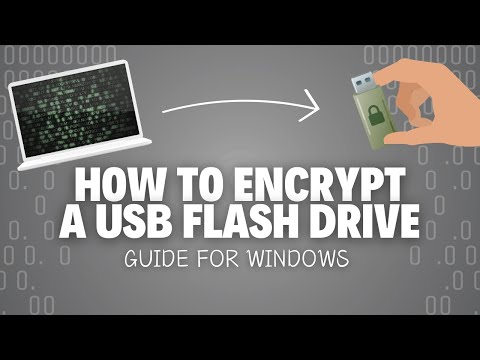
So, picture this: you’re at a coffee shop, right? Sipping your latte, scrolling through your phone, and then it hits you—what if someone just snatched your USB drive sitting there on the table? Scary thought, huh?
It’s like leaving your wallet wide open in a crowded place. Seriously, people have lost sensitive info without even knowing it! That’s where USB encryption swoops in like a superhero.
These days, there’s been some wild advancements making our data safer than ever. And trust me, it’s not as boring as it sounds. We’re talking about cool tech that keeps your stuff locked up tighter than a vault. Curious yet? Let’s break down what’s new and exciting in the world of USB encryption!
Evaluating the Security of Encrypted USB Drives: A Scientific Perspective on Data Protection
Encrypted USB drives have become a critical tool in the realm of data protection. But, just because something is encrypted, it doesn’t automatically mean it’s secure. You could think of encryption as a special lock on your front door; if someone wants to break in bad enough, they might figure out how to pick that lock. So, let’s talk about the real deal behind evaluating the security of these drives.
First off, there are different types of encryption algorithms used in USB drives. Some are more complex than others. For example:
- AES (Advanced Encryption Standard): This is like the gold standard of encryption.
- RSA (Rivest-Shamir-Adleman): Often used for secure data transmission but slower than AES.
Now, it’s super important to know which algorithm your drive uses because stronger algorithms make it harder for hackers to crack your data.
Next up is key management, which is basically how you handle the keys that unlock your encrypted drive. If you don’t manage your keys well, you might as well not have any security at all! Imagine giving out copies of your house key to everyone; soon enough, who knows who has access?
Another thing worth mentioning is hardware versus software encryption. Hardware-based encryption can be more secure since it often involves dedicated chips that handle data. Software encryption runs on the main processor and could be more susceptible to malware or software bugs. Think about this: if your computer gets a virus, and you’re using software encryption, that virus could potentially access your data!
You also need to consider physical security. A USB drive can easily get lost or stolen. If someone finds it and there’s no password protection or other safeguards in place, they can access all kinds of sensitive information! Even if it’s encrypted but poorly protected by passwords—like using “1234” or “password”—you’re kind of asking for trouble.
Then there’s the question of legitimate vulnerabilities. Devices sometimes have flaws or bugs known as “zero-day vulnerabilities.” These are like secret backdoors that hackers exploit before manufacturers have a chance to fix them. Testing encrypted USBs for these vulnerabilities should be part of any serious evaluation process.
Also, we can’t forget about updates! Just like you update apps on your phone to fix bugs and improve performance, encrypted drives need regular firmware updates too. Manufacturers often release patches that enhance security features or fix vulnerabilities.
So here’s an emotional anecdote: I once had a friend who stored all her sensitive work documents on an encrypted USB drive without changing the default password. One day she lost it at a coffee shop! Thankfully she had used strong encryption—so when someone found the drive, they couldn’t get into her info without knowing her password. It was a lucky break, but imagine if she hadn’t taken those precautions!
Finally, always keep in mind that while having an encrypted USB drive boosts security significantly, it’s just one piece of the puzzle in overall data protection strategies. Regular backups and good cybersecurity habits will go a long way toward keeping your information safe and sound.
In short:
- The type of encryption matters.
- Key management can make or break your security.
- Hardware vs software encryption has its pros and cons.
- Physical losses can lead to big problems!
- No device is immune from vulnerabilities.
- Regular updates are essential for keeping things tight.
Keep these points in mind when evaluating an encrypted USB drive! Data protection isn’t just about having gadgets; it’s also about making smart choices along the way.
Exploring the Future of Encryption Technology in Scientific Advancements and Cybersecurity
In a world where we share tons of data every day, the need for encryption technology is becoming super crucial. You know, it’s like having a locked box for your valuable stuff. Encryption wraps your data in a secret code that can only be unlocked with the right key. This means that even if someone grabs your data, they can’t read it without that key.
Now, let’s chat about the advancements in USB encryption. USB drives are everywhere—think about how often you pop one into your computer to transfer files! But they can also be an easy target for cybercriminals. Imagine losing a USB stick full of sensitive research or personal info. Yikes, right? That’s where encryption comes in.
With new tech, USB drives can now automatically encrypt files as soon as you save them on the device. It’s like having a personal security guard standing by while you work. Some drives even use biometric authentication—like fingerprints—to make sure only you can access the data stored inside. It’s fancy and adds a layer of security that’s hard to beat.
But there’s more to it than just locking things up tight. Advanced encryption algorithms are being developed all the time, which help protect scientific advancements and personal information against evolving cyber threats. For instance, look at AES (Advanced Encryption Standard). This encryption method is widely used because it provides robust security while still allowing quick access to your files.
On the cybersecurity front, organizations are investing heavily in encryption technology because breaches can have serious consequences. Just think about it: if sensitive research data gets leaked? That could totally derail years of work and innovation!
What’s interesting is how these technologies keep evolving alongside fair warning systems that alert users about potential breaches or unauthorized access attempts. It’s like having an alarm system combined with state-of-the-art locks on your digital doors.
Also, there are some fresh ideas popping up around quantum computing which might change how we think about both cryptography and cybersecurity entirely! Basically, quantum computers could potentially crack current encryption methods more easily than our traditional machines ever could.
There’s one thing we should keep in mind though: while tech is getting better and better at protecting our data, nothing is ever 100% foolproof. So being smart with our choices—like using strong passwords alongside those encrypted USBs—is still important.
Encryption technology will keep playing an essential role in defining how secure our future looks—especially as scientific advancements become more interconnected globally.
So where does all this leave us? Well, moving forward means staying ahead of potential dangers while enjoying advancements that make our lives easier and safer too! Embracing these changes will help ensure we keep innovating without putting everything at risk; that’s just common sense!
“Top Strategies for Safeguarding Data on USB Drives: Insights from Data Security Science”
You know, with USB drives being so handy for storing and sharing data, they’re also a prime target for data breaches. That’s why it’s super important to protect your information. Here are some strategies you can use to keep your data safe, you feel me?
- Encrypt Your Data: Seriously, encryption is like a secret code for your files. Even if someone gets their hands on your USB drive, they won’t be able to read the files without the right password. You can use software like VeraCrypt or BitLocker (if you’re on Windows) to encrypt your drive.
- Password-Protect Your Drive: It’s just smart! Some USB drives come with built-in password protection features. So when you plug it in, it asks for a password before letting you access anything. This adds another layer of safety.
- Use Antivirus Software: Think of this as a protective shield for your device. Make sure that any computer you use with your USB drive has up-to-date antivirus software. Better safe than sorry, right? It helps catch any malware that could sneak in.
- Regularly Backup Data: Okay, imagine this: You’ve stored all these important files on your USB and one day it just… stops working. Scary, huh? Regularly backing up data means you won’t lose everything if something happens to the drive.
- Avoid Public Computers: If possible, steer clear of using public computers with your USB drives. Those machines can be loaded with malware or tracking software that might compromise your data.
- Keep Firmware Updated: Just like apps on your phone need updates, so do the firmware on some USB drives! Keeping it updated helps fix vulnerabilities and improves security features.
- Create Secure Copies: If you’re working with really sensitive info—like legal documents or personal identification—consider making secure copies and storing them in an encrypted cloud service along with the physical drive.
The thing is, safeguarding data isn’t just about having a fancy USB drive; it’s about **making smart choices** regularly. I remember when I lost some important work due to a corrupted USB last year—it was brutal! Now I’m all about those backups and encryption tools!
If we all took these steps seriously, we could reduce our risk of falling victim to data theft significantly. It just requires a little awareness and effort from each one of us!
You know, it’s wild how far technology has come in just a couple of decades. I remember when USB drives first hit the scene. They were this cool, tiny way to store and share files—like magic! Fast forward to today, and with all the data breaches and security threats out there, those little gadgets have turned into important guardians of our information.
So, let’s talk USB encryption. Basically, it’s like putting your files in a secret vault. You can have all your essential documents on a USB drive, but if someone gets hold of it without the right password or key, it’s just gibberish to them. Pretty smart, right? It’s comforting knowing you can whisk away important personal stuff like family photos or sensitive work documents in an encrypted drive without worrying that someone is going to snoop around.
I had this experience once when a buddy lost his USB stick at a café. At first, he was frantic thinking about how much stuff was on there—projects for work, even some old love letters he thought were long gone. Luckily for him, it was encrypted! Even though he lost it, it felt good knowing that someone couldn’t just plug it into their computer and access his life.
With advancements in encryption technology today, things have gotten even better. We’re talking about military-grade encryption that makes cracking those drives harder than breaking into Fort Knox! Some USBs now use hardware encryption too. That means they handle the encryption process inside the device itself rather than relying on your computer’s software—a total game changer for security!
But here’s the kicker: while we’ve got these cool security measures in place, we need to stay vigilant ourselves too. Even with all these advancements in USB encryption, human error can still be an easy way to get compromised. Not updating passwords or using weak ones might negate all that techy goodness.
You see? Technology is advancing rapidly which can feel overwhelming sometimes but embracing these changes offers us better ways to protect our data—a must in our ever-connected world! It’s like having an invisible shield around your most valuable files; and who wouldn’t want that?