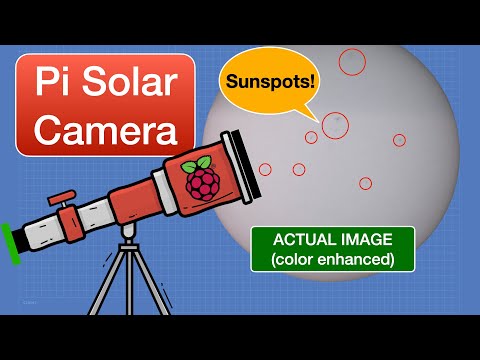
You ever try to take a picture of the stars? It’s like, you think you’re capturing the beautiful universe, but really, it looks more like a glittery black potato. Seriously!
I remember one night, I was out there with my camera, all excited. I had my tripod set up and everything. But when I looked at the photos later, it felt like the cosmos was laughing at me.
Then I stumbled upon Raspberry Pi. At first, I thought, “What’s this little computer got to do with astronomy?” Well, buckle up! This tiny tech marvel can turn you into an astrophotographer, even if you’re just learning how to set a timer on your phone.
Imagine snapping breathtaking shots of galaxies and nebulae without needing a fancy camera setup or spending a fortune! Sounds awesome, right? Let’s explore how you can capture the cosmos with just a bit of creativity and passion.
Enhancing Astrophotography: Top Raspberry Pi Software Solutions for Astronomical Imaging
Astrophotography is one of those hobbies that can really pull you into the wonders of the universe. I mean, who doesn’t want to capture the beauty of the night sky and see those twinkly stars up close? With technology evolving, using a Raspberry Pi has become a fun and affordable way to dive into this world. You might be asking yourself: how can a tiny computer help me take stunning images of celestial bodies? Well, let’s break it down.
First off, the Raspberry Pi itself is an incredibly versatile little gadget. It’s like having your own mini computer that fits in your palm. When combined with some clever software solutions, you can seriously enhance your astrophotography game. Here are some standout software options that work great with Raspberry Pi:
- PiAstro: This is specifically designed for astrophotography. You can control cameras and telescopes easily, which is super handy when you’re out under the stars.
- Ser2img: If you’re into video astronomy, this one’s a gem! It captures video from your camera and converts it into individual frames for stacking.
- The Sky X: This software not only guides you while you’re shooting but also helps with tracking celestial objects smoothly across the night sky.
Now, let’s get a bit more personal here. I remember one night when I was trying to photograph Orion’s Belt with my setup. It was freezing outside! But as I aligned my telescope using PiAstro, I felt like a kid again—like I was on some cosmic adventure. Seeing those three stars pop up on my screen made all the cold worth it!
Another critical part of astrophotography is image stacking, which helps reduce noise in your images. That’s where tools like Ser2img come in handy. By taking multiple shots of the same object and combining them, you pull out more detail than you’d get from just one photo.
Also worth mentioning is how important tracking is for long exposures in astrophotography. Whether you’re capturing star trails or deep-sky objects like galaxies or nebulae, having good tracking ensures that your images won’t be blurry. The Sky X makes it pretty straightforward to track objects through the night.
Lastly, don’t forget about community support! There are tons of forums and groups online filled with other enthusiasts who are more than willing to share their experiences and tips on using Raspberry Pi for astrophotography.
So there you have it! With the right software solutions and a bit of enthusiasm—and maybe some warm gloves—you can use Raspberry Pi to capture stunning astronomical images that would impress anyone who stargazes with you!
Exploring Astroberry: Innovations in Astrophysics and Space Science
So, astroberry is a pretty exciting project that combines the power of Raspberry Pi with astrophysics and space science. It’s like taking a mini computer and turning it into your personal observatory! Cool, right?
Astrophotography can be super complex, involving expensive gear and setups. But with astroberry, you can capture some stunning shots of the cosmos with relatively low-cost equipment. Imagine wandering outside on a clear night, setting up your telescope or even just a camera on a tripod, and using your Raspberry Pi to help you snap shots of distant galaxies or brilliant star clusters.
What does astroberry actually do? It allows you to control telescopes, cameras, and other devices from your Raspberry Pi. You can automate the whole process of capturing images of celestial objects. That means less hassle for you! The software is designed to work seamlessly with various astronomy hardware while being user-friendly enough for beginners.
- Remote Control: This setup lets you connect devices like telescopes directly to your Raspberry Pi through Wi-Fi or USB.
- Image Capture: Using software like KStars and Ekos (which are part of the Astroberry server), you can take long-exposure photos that reveal more detail than a regular photo.
- Guiding Systems: It even helps track moving objects in the sky so that your images don’t come out blurry due to Earth’s rotation.
Picture this: You’re lying in your backyard looking up at the stars while sipping on hot cocoa…and maybe some marshmallows! And there’s your little setup doing all the work for you—capturing those breathtaking views without you having to dive into complicated tech jargon.
Astrophysics isn’t just for scientists sitting in labs; it’s something anyone can explore. With tools like astroberry, enthusiasts can get hands-on experience in gathering data about space. There was this one time when I helped my niece set up her first telescope using Astroberry. She was only eight years old but managed to capture incredible images of Jupiter’s moons—all thanks to how approachable this technology makes astrophotography!
Plus, another huge bonus? The community around projects like these is really vibrant and supportive. You’ll find lots of forums and groups where folks share tips and tricks on optimizing their setups or troubleshooting common issues.
So basically, astroberry is about bringing space science closer to everyone by utilizing affordable technology that simplifies complex processes in astrophotography. Whether you’re an expert or just curious about what’s up there in the night sky, this tool opens doors for exploration—and trust me, once you’ve captured that stunning shot of a nebula or star cluster, you’ll be hooked!
Exploring the Cosmos: Innovative Raspberry Pi Astronomy Projects for Science Enthusiasts
So, you’re curious about combining Raspberry Pi with astronomy? That’s pretty cool! Raspberry Pi isn’t just for coding or gaming; it’s sneaking into the world of astrophotography and space exploration in a big way. Let’s break down how you can use this tiny computer for some fantastic cosmic projects.
First off, what’s a Raspberry Pi? Well, it’s like a mini-computer you can hold in your hand. It’s affordable and super versatile. You can run different programs on it, which makes it a great tool for data collection and analysis in astronomy.
Now, let’s talk projects! Here are some fun ideas for Raspberry Pi astronomy projects:
- Astrophotography Setup: You can use a Raspberry Pi to control your telescope and capture stunning images of the night sky. With the right camera module attached to your Raspberry Pi, you could potentially take pics of planets or nebulae!
- Star Tracker: Want to keep an eye on celestial movements? With a motor driver and some coding magic, your Raspberry Pi can track stars across the sky. This way, you won’t miss out on that super cool meteor shower.
- Spectroscopy: Ever thought about analyzing the light from stars? You can create a simple spectroscope using your Raspberry Pi to study different wavelengths of light coming from various celestial bodies. It’s like being an astronomer at home!
- Weather Station: Good weather is key for stargazing. Build your own weather station using sensors connected to your Raspberry Pi to monitor temperature, humidity, and even rainfall—helping you plan those perfect nights under the stars.
- Data Collection: You can set up a system that collects data on light pollution in your area. By attaching sensors to your Raspberry Pi, you could contribute valuable data about how city lights affect stargazing!
Picture this: one night, after setting up my first **Raspberry Pi astrophotography project**, I was keying into my setup while sipping coffee under clear skies. Suddenly, there it was—a shooting star! In that moment of awe mixed with geeky glee, I caught its fleeting beauty through my camera lens with the help of my trusty little computer.
And here’s the kicker: Raspberry PIs come with amazing community support. There are tons of forums and blogs where fellow enthusiasts share their setups and advice. You might just stumble upon unique tweaking techniques or code snippets that take your project from good to incredible!
But hey, tackle these projects at your own pace; they require some patience (and maybe a few late-night troubleshooting sessions). Don’t hesitate to experiment; after all, science is all about trying new things!
In essence, exploring the cosmos through innovative **Raspberry Pi projects** opens up a galaxy full of excitement and learning! Happy stargazing!
You know, astrophotography can feel like one of those “only for the pros” hobbies. I mean, when you think about it, capturing the beauty of the cosmos sounds super high-tech, doesn’t it? But then there’s this amazing twist with Raspberry Pi, which kinda makes this cosmic adventure a lot more accessible.
I remember the first time I stood outside at night, staring up at the stars. I was maybe ten or eleven and completely awestruck. The sky looked like it was sprinkled with diamonds, and all I could think was how tiny I felt under that vastness. Fast forward to now—imagine trying to bottle up that feeling with a camera! Traditionally you’d need expensive gear and complicated setups to get those stunning shots of galaxies or nebulae. But enter Raspberry Pi…
So here’s the thing: It’s a small computer that you can program to do all sorts of cool stuff, and yes—astrophotography is one of those things. With just a few components—a camera module, some basic software—you can start snapping pictures of celestial objects right from your backyard. How cool is that?
What happens is that Raspberry Pi allows you to run software like PHD2 Guiding or even Stellarium, which helps in tracking heavenly bodies as they move across the night sky. It turns your garden into your very own observatory! You don’t have to be an astrophysicist or anything; anyone can give it a go.
And if you’ve ever tried taking pictures at night, you know it’s not easy! You’ve got issues like light pollution and shaky hands messing with your perfect shot. But these low-cost setups help tackle those problems without needing an advanced degree or a mountain of cash.
So yeah, while diving into astrophotography with Raspberry Pi might feel daunting at first—like standing on the edge of a cliff—it can actually be quite rewarding. Plus, it’s kinda magical to see something you’ve captured from light that’s traveled millions of years just for you to snap a picture. It’s almost poetic when you really think about it.
In short, using Raspberry Pi for capturing those cosmic moments transforms this hobby from one reserved for experts into something anyone—like you—can jump into with just a bit of curiosity and creativity. And who knows? Maybe you’ll find yourself in awe again under that magnificent sky, capturing memories that stretch across time itself!